Coding Terms Flashcards: Free Printable & Study-Ready
Coding terms flashcards are two-sided cards with a programming word on the front, like "variable" or "loop," and a plain-English definition on the back, so you can lock in the vocabulary that every beginner has to learn. The fastest way to build a set is to use a free flashcard maker that turns your term list into flip-and-print cards you can review on screen or on paper. Below you'll find a ready-made deck of core coding terms plus the study tricks that make the jargon click.
Want to skip the setup? Open the free flashcard maker, paste in the term list from this page, and you'll have a study-ready deck in minutes. No sign-up, no fee, nothing to install.
What Are Coding Terms Flashcards?
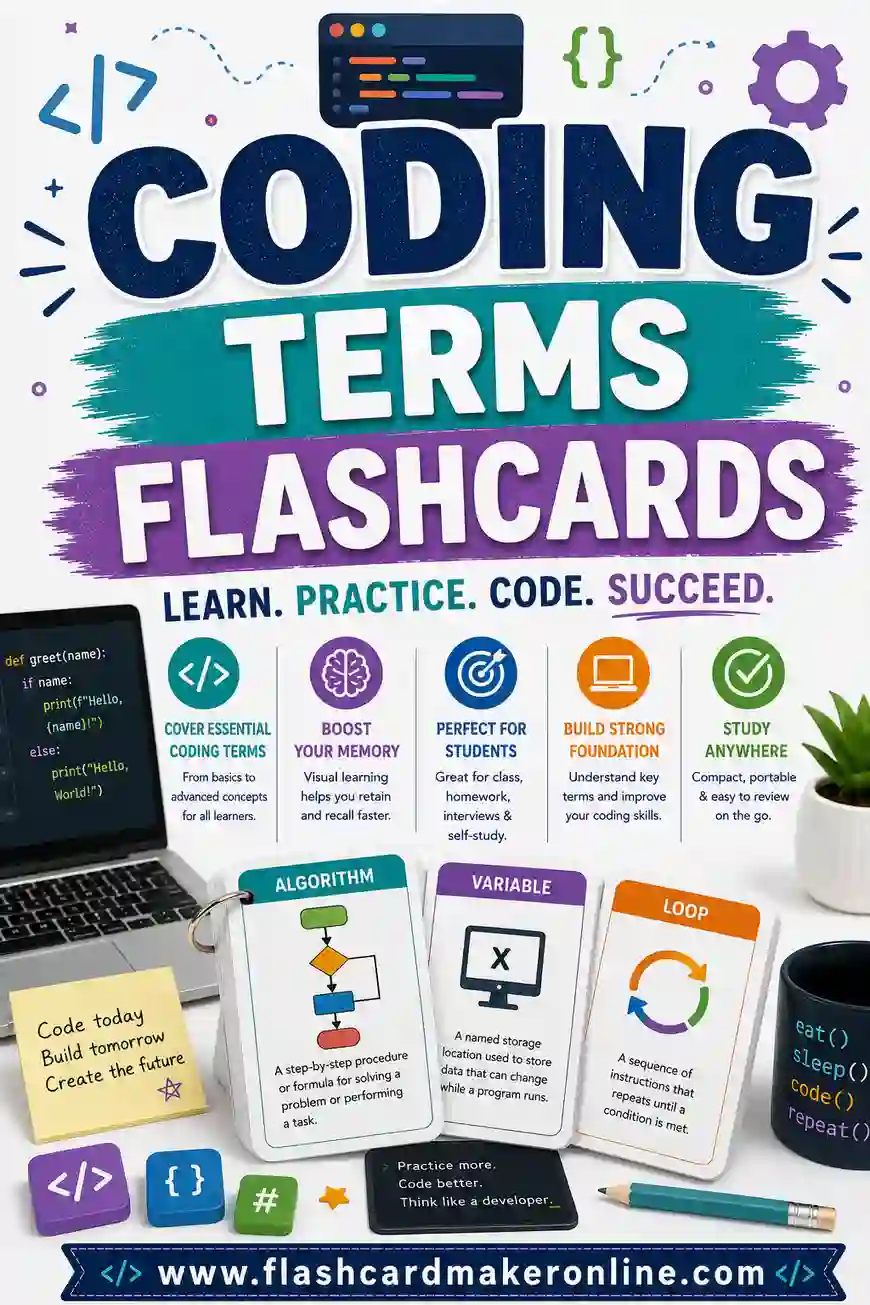
Picture a stack of cards, each one a piece of programming vocabulary. The front holds a term, "function." The back holds a short, plain-English definition, "a reusable block of code that does one job." You read the term, try to explain it in your head, then flip to check yourself.
That loop is active recall, and it's perfect for learning to code. Programming throws a wall of new words at beginners in the first week, variable, loop, array, syntax, all at once. You can't write code you can't read, and you can't read code whose words you don't know. Flashcards turn that wall into a stack you can chip away at, a few terms a day.
You can drill a coding deck two ways:
- Term to definition. See "array," recall "an ordered list of values." Builds your reading vocabulary.
- Definition to term. See "an ordered list of values," recall "array." Helps you reach for the right word when you write or talk about code.
Why Make Your Own Coding Terms Deck
Pre-made decks exist, but building your own beats them.
- It's free. A full printable deck costs nothing when you make it yourself.
- You match your language. Pull the exact terms from the course, bootcamp, or language you're learning, Python, JavaScript, whatever.
- You can flip and print. Drill on screen, then print the terms you keep missing. No wasted paper.
It's quick, too. From "this tutorial keeps using words I don't know" to a printed deck takes most people under ten minutes.
Free Coding Terms Flashcard Deck (Copy & Paste)
Here's a ready-to-use set of core programming terms that show up in almost every language. The left column is the card front (the term); the right is the back (the definition). Paste it into the flashcard maker and start flipping.
| Term (front) | Definition (back) |
|---|---|
| Variable | a named box that stores a value |
| Function | a reusable block of code that does one job |
| Loop | code that repeats until a condition is met |
| Array | an ordered list of values |
| Object | a bundle of related data and behavior |
| String | text, a sequence of characters |
| Integer | a whole number with no decimal |
| Boolean | a value that is either true or false |
| Conditional | code that runs only if something is true (if/else) |
| Operator | a symbol that does work, like + or == |
| Syntax | the rules for how code must be written |
| Bug | an error in the code |
| Debug | to find and fix a bug |
| Comment | a note in code the computer ignores |
| Argument | a value you pass into a function |
| Parameter | a named input a function expects |
| Return | the value a function sends back |
| Index | the position number of an item in a list |
| Null | an intentional empty or "no value" |
| Scope | where in the code a variable can be used |
| Algorithm | a step-by-step set of instructions to solve a problem |
| API | a way for two programs to talk to each other |
| Compiler | a tool that turns code into something the computer runs |
| Recursion | a function that calls itself |
| Library | reusable code others wrote that you can plug in |
| Framework | a structured starter kit for building apps |
Trim it to your course or add the terms your tutorial keeps throwing at you. A few are easy to mix up, an argument is the value you pass in, while a parameter is the named slot that receives it. Those near-twins are exactly the cards worth flipping twice.
Other coding decks to build
The same term-to-definition setup works for anything you're learning:
- Language-specific syntax. "Python list comprehension," "JavaScript arrow function."
- HTML and CSS. Tags, properties, and what they do.
- Git commands. "git commit" → "save a snapshot of your changes."
- Data structures. Stack, queue, hash map, tree, linked list.
- Error messages. Common errors and what they actually mean.
How to Make Coding Terms Flashcards in 4 Steps
No design skills needed. Here's the whole process.
- Collect your terms. Jot down the words your course or tutorial uses that you can't yet define.
- Add your pairs. Paste the list above into the flashcard maker, or type your own term-and-definition pairs.
- Flip to study. Review on screen first. See the term, define it out loud, then flip to check.
- Print your trouble cards. Print the full deck or just the terms you keep missing.
That's it. Print double-sided if you can, so the definition lands on the back of each term.
Study Tips That Make the Jargon Click
Coding vocabulary sticks faster with the right habits. These help.
| Tip | Why it works |
|---|---|
| Use spaced repetition | Review missed terms more often, easy ones less. Spacing beats cramming. |
| Define it in your own words | Rephrasing forces real understanding, not just memorizing the card. |
| Tie each term to code | Picture or write a tiny example after you flip. Use beats definition alone. |
| Learn in small batches | Five to ten new terms a day beats fifty in one sitting. |
| Say the definition aloud | Speaking adds a second memory channel beyond reading. |
| Flip both directions | Quiz term-to-definition and definition-to-term for full recall. |
Spaced repetition in plain terms
Spaced repetition just means spacing your reviews out and leaning harder on what you miss. "Variable" clicked on day one? Set it aside. Still fuzzy on "recursion" after a week? Keep it in the daily pile. Your study time flows to the terms that fight you, which is the whole point.
Connect every term to real code
A definition you can recite isn't the same as a term you understand. After you flip "loop → code that repeats," write or picture a tiny loop. After "function," recall one you've actually used. Linking each word to a scrap of real code turns flashcard knowledge into the kind you can use while you write, which is the goal.
Who Coding Terms Flashcards Are Great For
This deck flexes to almost any learner.
Self-taught coders
Teaching yourself from tutorials means hitting new jargon constantly. A flashcard deck gives you the structured vocabulary review a course would.
Bootcamp and CS students
Bootcamps move fast and assume the vocabulary sticks. A nightly flip through your terms keeps you from falling behind on the words.
Career switchers
Coming to code from another field? The vocabulary is half the battle. A deck gets you fluent in the language of the language.
Interview prep
Technical interviews expect you to use terms correctly and confidently. Drilling definitions, both directions, makes you sound like you belong.
Printing Tips for Sturdy, Reusable Cards
A few small choices make your deck last.
- Use cardstock if you can. It survives repeat shuffling far better than thin paper.
- Print double-sided. Line up front and back so the definition lands on the flip side of the term.
- Cut with a paper cutter. Cleaner, faster edges than scissors for a full deck.
- Keep a "missed" pile. Set aside terms you flub so the next session targets them.
- Print in black and white. Saves ink, and the text reads clearly without color.
Loving the study-deck approach? Build the same kind of set for other subjects with our presidents flashcards, geography flashcards, and history dates flashcards.
Frequently Asked Questions
How many coding terms flashcards do I need?
As many as your course throws at you, usually 20 to 50 core terms for a beginner. The flashcard maker lets you build the full glossary or a small starter stack in one go, so you study only what you need.
What should go on the back of a coding terms flashcard?
Put a short, plain-English definition, one or two sentences. Skip the jargon-explained-with-jargon trap; if the back needs another term to make sense, simplify it or add a tiny example.
Are these coding terms flashcards really free to print?
Yes. You build and print them yourself at no cost. There's no sign-up and no watermark, so a whole class or study group can drill from one free deck.
How do I memorize programming terms fast?
Learn in small daily batches, define each term in your own words, and tie it to a scrap of real code. Use spaced repetition so the terms you miss come back around more often, and flip both directions for full recall.
Can coding terms flashcards help if I'm not learning a specific language yet?
Yes. The core terms here, variable, loop, function, array, show up in nearly every language. Learning them first means your first real language feels half-familiar already.
Can I study the cards without printing them?
Yes. The flip-card maker lets you drill right on screen, tap a card to reveal the definition, then print only the terms you keep missing.
Ready to Build Your Coding Terms Flashcards?
Grab the deck above, open the free flashcard maker, and you'll have a flip-and-print set of coding terms flashcards in minutes. It's free, there's no sign-up, and you can drill on screen or print a stack for class. Pick a batch, start flipping, and watch the jargon click.