Quizlet vs Anki: Which Flashcard Tool Wins for You?
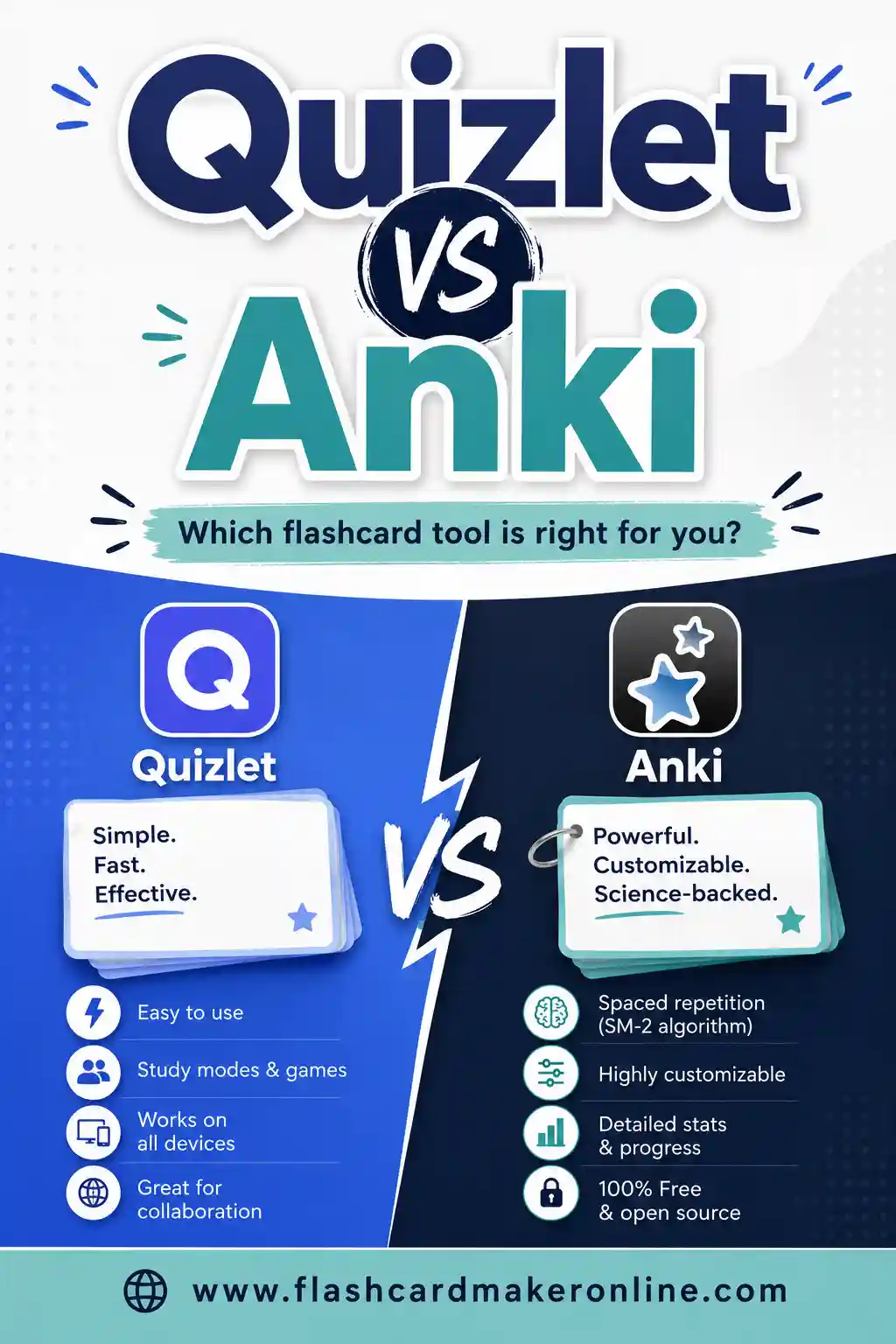
Quizlet vs Anki comes down to ease versus power. Quizlet is friendlier, more polished, and faster to start, but its best study features now sit behind a paywall. Anki is free, hugely powerful, and the gold standard for spaced repetition, but it has a steep learning curve and a dated interface. If both feel like too much for a quick set, Flashcard Maker Online lets you make, flip, and print cards free in your browser with no account.
Want to just make a deck and decide later? Open the free flashcard maker, type your terms, and study or print right away. There's a comparison sample set below to show you the format.
The Short Answer
If you want a fast verdict, here it is.
Pick Quizlet if you value a clean, modern interface, want to start in two minutes, like study games, and don't mind paying (or working around) the paywall for its best features. It's ideal for high school and college students reviewing for a test next week.
Pick Anki if you're memorizing a large amount of material over weeks or months, you care most about long-term retention, and you're willing to climb a learning curve. It's the favorite of medical students, language learners, and anyone facing a marathon exam.
If neither fits, a simple maker like Flashcard Maker Online handles quick sets and printing without forcing you to choose. Now let's compare them properly.
Quizlet vs Anki: Side-by-Side
| Feature | Quizlet | Anki |
|---|---|---|
| Price | Free tier + paid Plus | Free (iPhone app costs once) |
| Ease of use | Very easy | Steep learning curve |
| Interface | Modern, polished | Dated, utilitarian |
| Spaced repetition | In Learn mode (paid) | Yes, best in class |
| Study games | Match, gravity, test | None built-in |
| Pre-made sets | Huge library | Shared decks available |
| Customization | Limited | Extensive (add-ons, templates) |
| Offline use | Limited | Full offline |
| Cross-device sync | Yes (account) | Yes (free AnkiWeb) |
| Best for | Quick review, games | Long-term memorization |
Price: Free Tiers, Different Catches
Both call themselves free, but the details differ.
Quizlet has a free tier, but over the years key study features have moved behind Quizlet Plus. The free version shows ads, and full access to Learn mode and unlimited test runs increasingly requires a subscription. So Quizlet is "free to start," with a nudge toward paying.
Anki is free on desktop (Windows, Mac, Linux) and on Android via AnkiDroid. The one cost is AnkiMobile, the official iPhone app, which carries a notable one-time price that funds the project. There are no ads and no subscription. So Anki is "free forever, except the iPhone app."
If your budget is zero and you're not locked to an iPhone, Anki is the cheaper long-term choice. If you want everything polished and don't mind a subscription, Quizlet's price buys convenience.
Ease of Use: Quizlet Wins Easily
This is the clearest split. Quizlet is friendly. You make a set in minutes, the interface is clean and modern, and study modes are obvious. A first-time user is up and running fast.
Anki is the opposite. It's powerful but unwelcoming. Note types, card templates, decks, sub-decks, and add-ons give experts enormous control, and overwhelm beginners. The interface looks like older software, and the first hour can feel like configuring a program rather than studying.
If you want to start now and figure it out as you go, Quizlet is the gentler path. If you're willing to invest setup time for long-term payoff, Anki rewards the effort.
Spaced Repetition: Anki's Crown Jewel
Spaced repetition is the science-backed method of reviewing each card right before you'd forget it, with intervals that grow as you master it. It's the single most effective tool for long-term memory.
Anki is built entirely around this. Its scheduler is the best in the consumer world, tracking every card and showing weak ones more often. For serious memorization, nothing beats it.
Quizlet offers spaced-repetition-style study in its Learn mode, but it's less rigorous than Anki's, and full access increasingly sits behind the paid plan.
If lasting retention over months is the goal, Anki wins this category outright. For a test next week, Quizlet's lighter approach is plenty.
Study Games and Polish: Quizlet's Strength
Quizlet makes studying feel less like a chore. Match races you to pair terms and definitions, the gravity game adds arcade pressure, and practice tests generate quizzes from your set. The whole thing is mobile-friendly and pleasant.
Anki has none of this built in. It's all business: see card, rate how well you knew it, move on. Add-ons can extend it, but out of the box it's plain. If motivation and fun matter to you, Quizlet's games are a real advantage. If you find games distracting, Anki's focus is a feature.
Printing and Offline Use
Neither tool is built for paper, but Anki handles offline best. Once your decks are downloaded, Anki works fully offline with no account needed. Quizlet leans on its app and website, so it's weaker without a connection.
For printing, both are awkward. Anki needs add-ons or workarounds to produce a clean sheet, and Quizlet's print options are limited. This is exactly the gap a dedicated maker fills: Flashcard Maker Online prints clean decks for free, so a common move is to draft and print there, then study digitally in Quizlet or Anki.
Who Should Use Which
Match the tool to your situation.
- High school or college, test next week. Quizlet. Fast setup, games keep you engaged.
- Med school, law, or a huge professional exam. Anki. Spaced repetition over months is where it shines. See our best flashcard apps for medical students guide.
- Language learner. Either, leaning Anki for vocab retention or Quizlet for a friendlier start.
- Teacher making class sets. Quizlet for games, or a simple maker for printable cards.
- Just need a quick set or a printout. Flashcard Maker Online. No account, no paywall, no learning curve.
A Sample Deck Comparing the Two
Here's a ready-made set on Quizlet, Anki, and study terms. Copy it into the free flashcard maker for an instant deck.
| Term | Definition |
|---|---|
| Quizlet | Polished flashcard app, friendly but partly paywalled |
| Anki | Free, powerful spaced-repetition software |
| Spaced repetition | Reviewing cards at increasing time intervals |
| Active recall | Retrieving an answer from memory, not rereading |
| Learn mode | Quizlet's adaptive study feature, mostly paid |
| Quizlet Plus | Quizlet's paid subscription tier |
| AnkiDroid | The free Android version of Anki |
| AnkiMobile | The paid iPhone version of Anki |
| AnkiWeb | Free service that syncs Anki decks across devices |
| Ease factor | A number controlling how fast an Anki interval grows |
| Add-on | A plugin that extends Anki's features |
| Match game | A Quizlet game pairing terms and definitions |
| Deck | A complete set of related flashcards |
| Interval | The gap before a card is shown again |
| Cloze deletion | A fill-in-the-blank style card |
| Shared deck | A pre-made Anki deck others can download |
| Offline study | Reviewing cards without an internet connection |
| Test mode | A scored quiz generated from a card set |
| Retention | How well material stays in long-term memory |
| Cardstock | Heavy paper that makes durable printed cards |
Can You Use Both?
Yes, and plenty of students do. A common combo: use Quizlet for quick reviews, games, and pre-made sets, and Anki for the heavy material you need to remember for months. Make and print your foundational sets in Flashcard Maker Online, then feed them into whichever app fits the moment.
There's no rule that you must commit to one. The tools each have a sweet spot, and a smart study routine often mixes them.
Common Mistakes With Both Tools
Whichever you pick, a few habits quietly waste your study time. Avoid these and either tool works far better.
Passive review. The biggest trap is reading the answer before you've tried to recall it. The whole point of a flashcard is the struggle to remember. With Quizlet's match game or Anki's flip, force yourself to answer in your head first, every time. No recall, no benefit.
Cards that are too long. A flashcard with a paragraph on the back tests reading, not memory. Break dense facts into several small cards, one idea each. This is true in both apps, and it's the single biggest quality fix most people can make.
Skipping days in Anki. Anki's power comes from daily reviews. Miss a few days and the due pile balloons into something demoralizing. If you commit to Anki, commit to the daily habit, even if it's just ten cards on a busy day.
Over-relying on pre-made sets. Quizlet's huge library and Anki's shared decks are great starts, but cards you didn't write are easier to recognize than recall, and some contain errors. Edit them, or better, remake your weakest cards in your own words.
No backup. Accounts get deleted, paywalls move, apps change. For sets that truly matter, print a copy from a free maker like Flashcard Maker Online. A paper backup means your hard work is never one login problem away from gone.
Fix these five and the Quizlet-versus-Anki debate matters a lot less. Good study habits beat the right app almost every time.
For what is behind newer scheduling, read how modern flashcard scheduling works with FSRS.
Frequently Asked Questions
Is Quizlet or Anki better?
Neither is universally better. Quizlet is easier and more polished but paywalls key features. Anki is free and the best tool for long-term memorization but has a steep learning curve. Pick Quizlet for quick, friendly review and Anki for serious months-long study.
Is Anki really free?
Anki is free on desktop and on Android (AnkiDroid). The only cost is AnkiMobile, the official iPhone app, which has a one-time price that funds development. There are no ads or subscriptions on the free versions.
Does Quizlet have spaced repetition?
Quizlet offers spaced-repetition-style study in its Learn mode, but it's less rigorous than Anki's scheduler, and full access increasingly requires a paid Quizlet Plus subscription.
Which is better for medical students?
Most medical students prefer Anki because its spaced repetition handles the enormous volume of material over months. Our best flashcard apps for medical students guide covers this in detail.
Can I print flashcards from Quizlet or Anki?
Both are awkward at printing. Quizlet's print options are limited, and Anki needs add-ons or workarounds. For clean printable decks, a dedicated tool like Flashcard Maker Online is the easier route.
Should I use Quizlet and Anki together?
You can. Many students use Quizlet for quick reviews and games and Anki for long-term memorization. Making and printing your core sets in a simple free maker first keeps everything portable.
Ready to Make Your Own Deck?
Whether you land on Quizlet, Anki, or both, you still need good cards to start. Open the free flashcard maker, paste in your terms, and flip through or print a clean deck in minutes, no account and no paywall. Try the sample set above to see the format, then build a set for whatever you're studying. For more options, our Quizlet alternatives (free) and Anki alternatives guides go deeper.